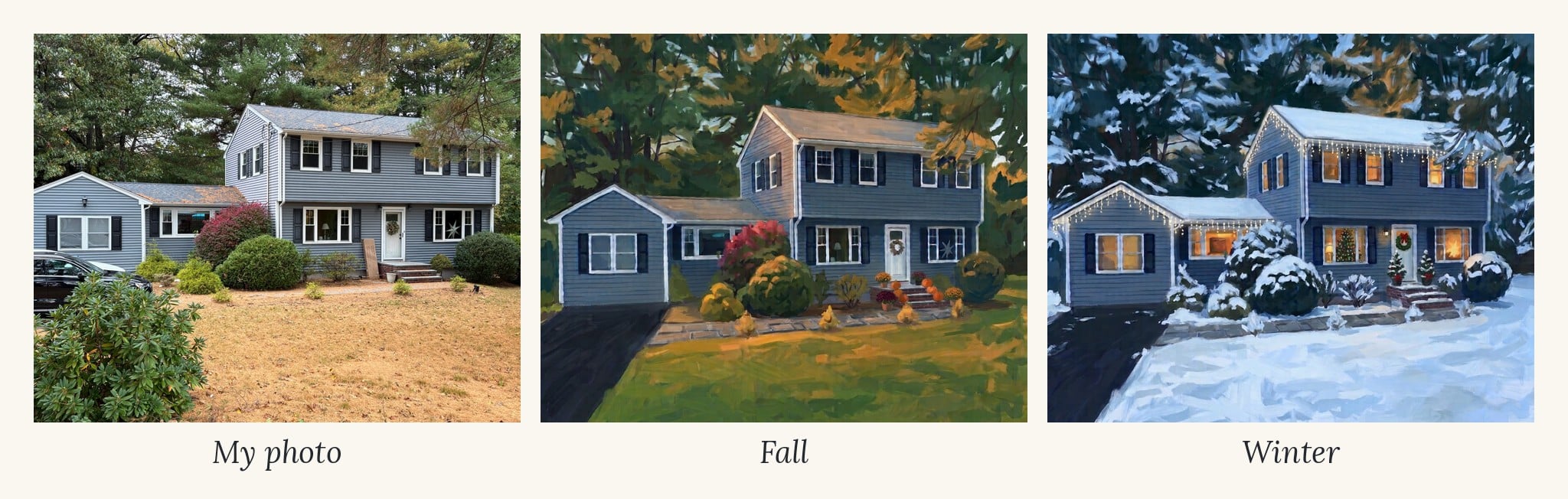
A painting of your own home is one of the most personal things you can hang on a wall. A custom house portrait from an artist can cost a lot. So I wanted to see how close I could get with Gemini and a regular phone photo of my house.
The answer: really close. But it took a lot more than one prompt. Gemini got the house right on the first try, and then I spent the next half hour or so fixing the lawn, the light, the size of my mums and the number of pumpkins on my steps.
Here’s every step, including the edits that didn’t work, so you can skip the frustrating parts. By the end, I had a fall painting and a winter painting of my house, ready to print and swap with the seasons.
Step 1: Start with your photo and one clear prompt
My photo wasn’t staged at all. There’s a car in the driveway, a big box leaning by the front door, wires across the sky and a dry, brown lawn. That’s fine. You’ll see Gemini can clean most of that up.
FREE FOR READERS
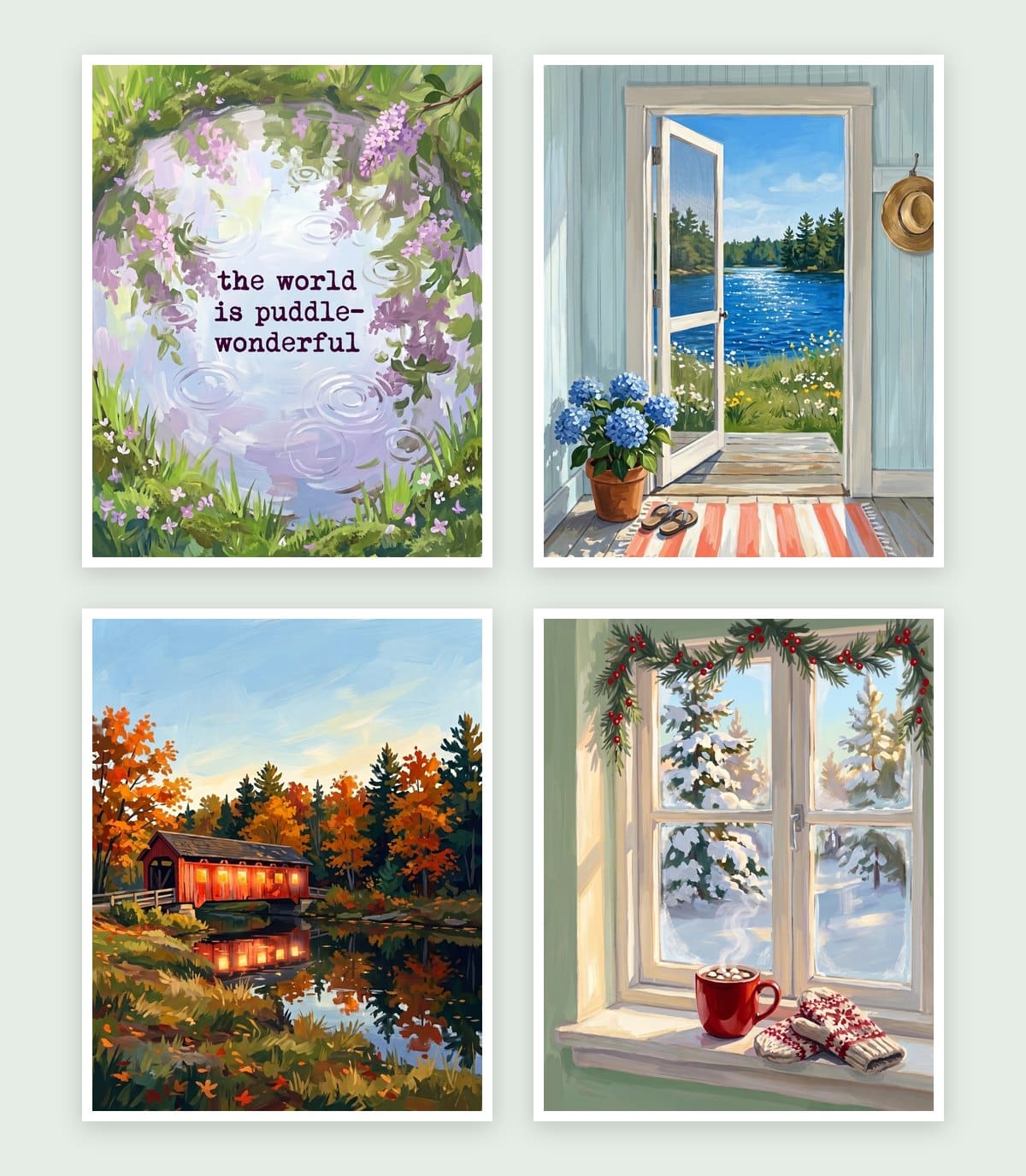
Seasonal Decorating, Made Simple
12 painted prints, three for every season. Just print, frame and swap.
Open a new Gemini chat, upload your photo and paste this:
Turn this photo of my house into printable wall art in a bold painterly gouache style, opaque, matte, visible brushstrokes, vibrant and luminous. Keep the house recognizable: same shape, roofline, windows, door, trim and colors. Remove cars, trash cans, wires and clutter, and simplify the background. Keep the same season and light as the photo. Simple and uncluttered, perfect composition, no text no words, no signature, flat artwork only, not a mockup, no frame, no white border, fills the entire image edge to edge, 4:5 aspect ratio
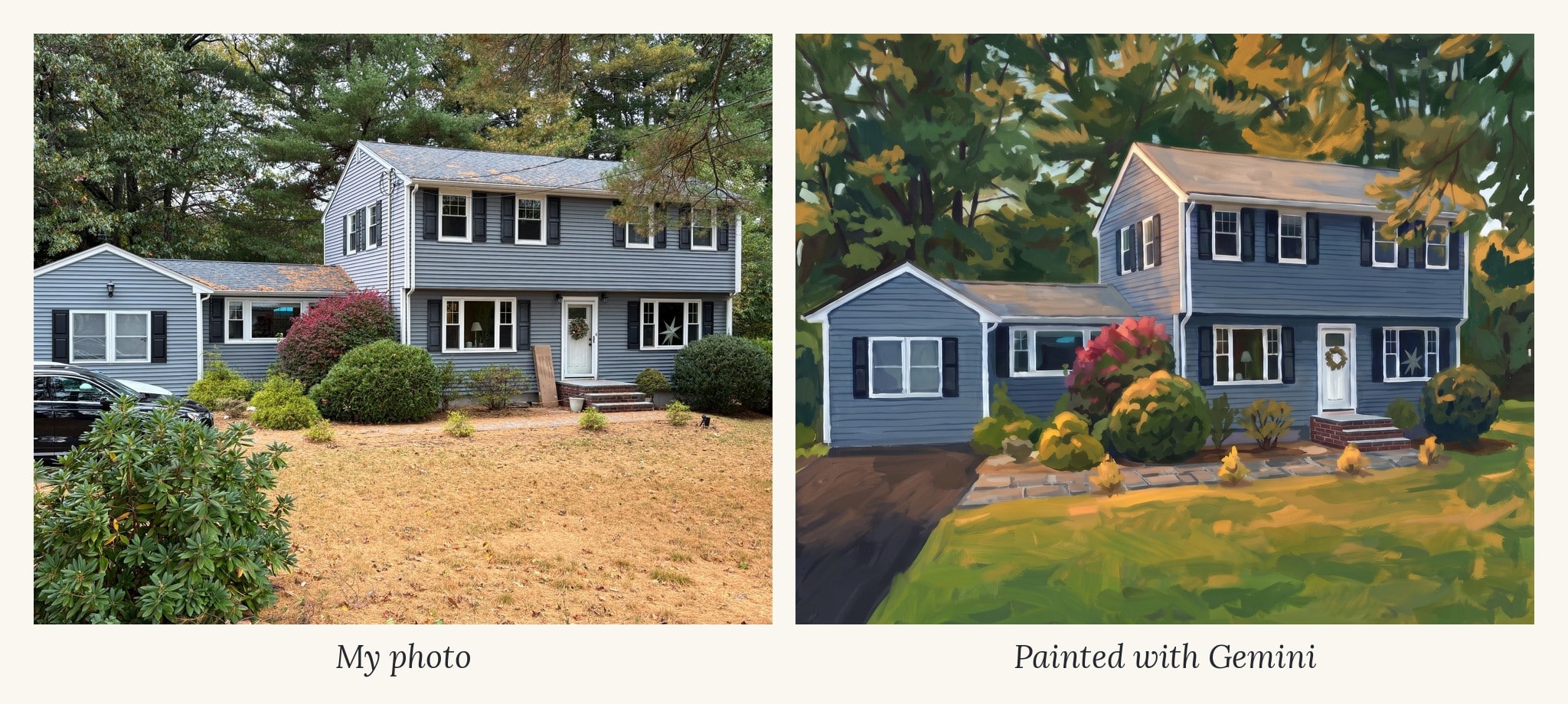
What worked right away: the house was unmistakably mine. It kept the shutters, the wreath on the door, the star in the window, the lamp in the front window and the brick steps. It also removed the car, the box and the wires.
What didn’t: the dry lawn turned into a big beige patch across the bottom third, the house sat too far back, and the pine needles on my roof looked like rust stains.
Step 2: Fix the colors (Gemini only did half)
I asked for four changes at once:
Love this. Now make these changes: bring the house closer so it fills more of the frame, with less lawn in front. Make the lawn lush and green. Make the rhododendron in the front left smaller so it doesn't block the view. Clean up the roof so the shingles are an even soft gray with no orange patches. Keep everything else about the house exactly the same.
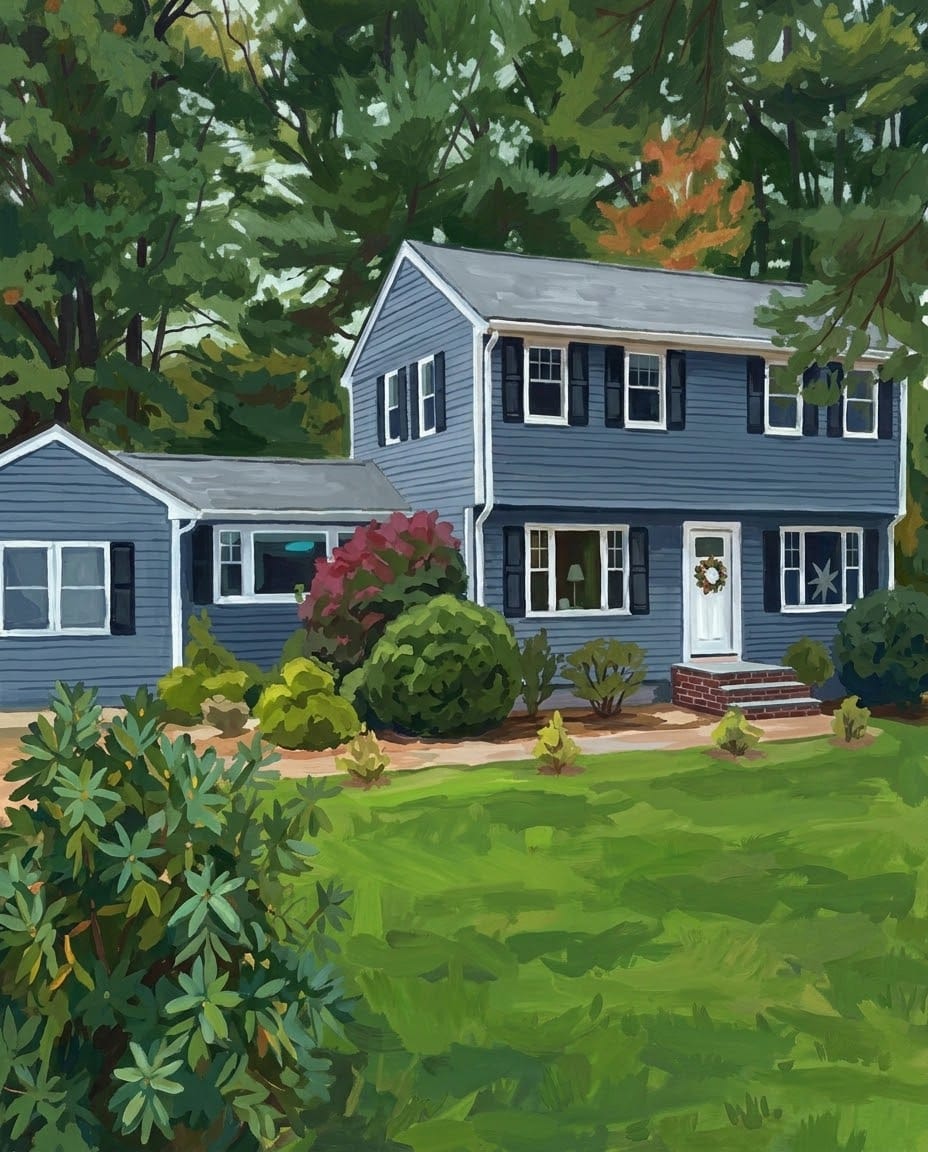
Gemini made the lawn green and cleaned up the roof. It completely ignored the other two. The house didn’t move, and the rhododendron was just as big.
The lesson: Gemini is great at color changes and much worse at layout changes. If you ask for both at once, the layout changes are usually the ones that get skipped.
Step 3: When Gemini won’t zoom in, turn it sideways
Next I asked for one layout change at a time:
Zoom in closer on the house so it fills most of the frame. Remove the large shrub in the bottom left corner completely. Keep the painting style and the house exactly the same.
It removed the shrub, but the house still didn’t move. Now the whole bottom half was empty green lawn. I also noticed the walkway and driveway were brown. In real life the walkway is gray and the driveway is black. And there was an orange tree behind the house I didn’t love.
So I asked for just those color fixes. This time Gemini zoomed in, way too far. It cut off my front door completely.
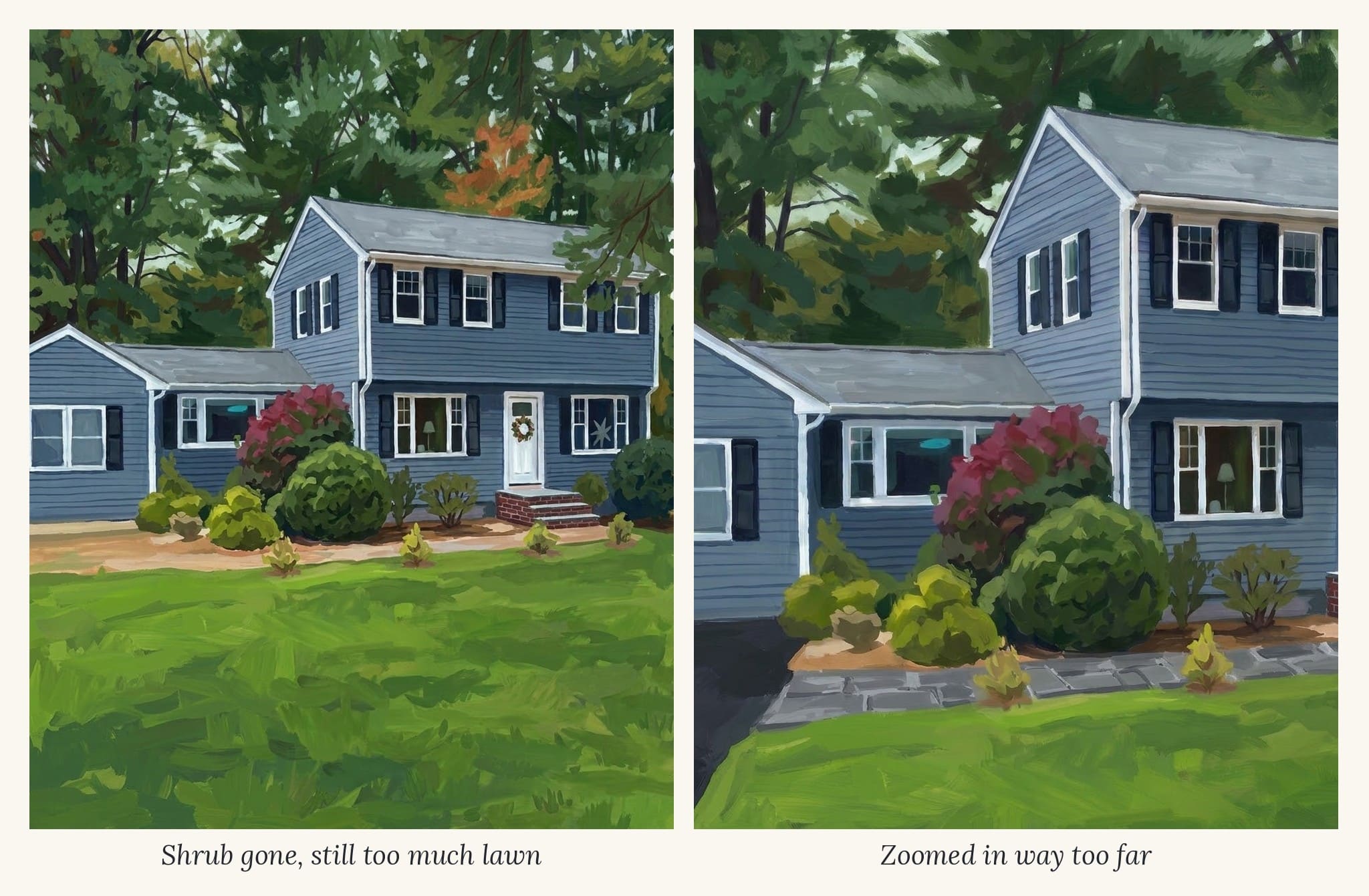
That’s when it clicked. My house is wide. With the wing on the left, it’s naturally a horizontal picture. In a tall 4:5 frame, Gemini could only fit the whole house by adding lots of lawn and sky.
I started a fresh chat, uploaded the version with the full house, and put every fix into one prompt:
Repaint this house as a horizontal painting in the same bold gouache style. Show the entire house from the left wing to the right side, with the front door, wreath and brick steps fully visible. The house should fill most of the frame, with trees above and only a narrow strip of green lawn at the bottom. Front walkway in gray stone pavers, black asphalt driveway on the far left, all background trees deep green with no orange. No text, no signature, flat artwork only, not a mockup, no frame, no white border, fills the entire image edge to edge, 5:4 landscape aspect ratio
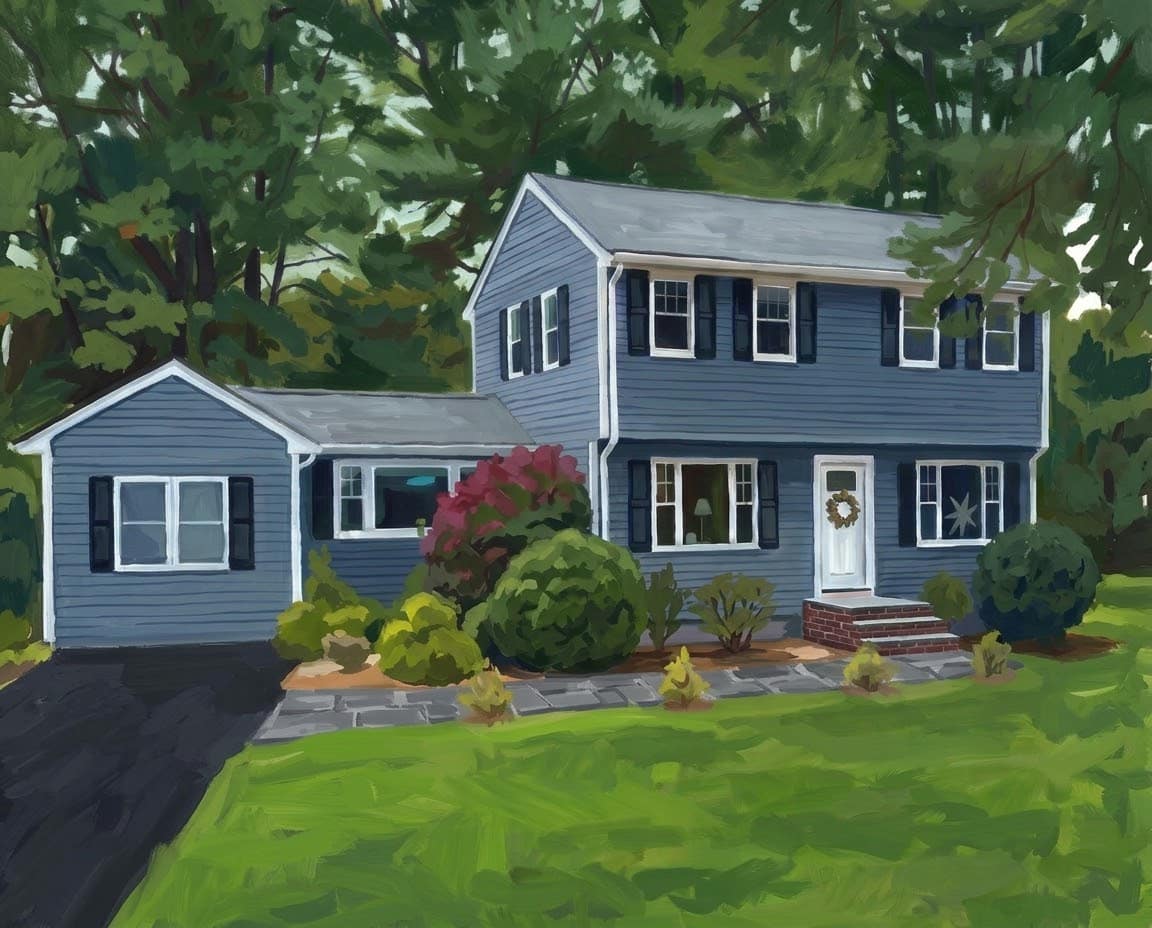
It worked on the first try. The whole house, the right colors and a reasonable strip of lawn. A 5:4 horizontal image is still an 8×10, just turned sideways, so it fits the same frames.
Step 4: Add sunlight without changing your house color
The horizontal version was right, but it read a little dark and gray. So I asked for warm late-afternoon sunlight.
Gemini turned the main house tan with brown shutters, while the wing stayed blue. It looked like two different houses glued together. Gemini heard “warm light” and made everything warm-colored.
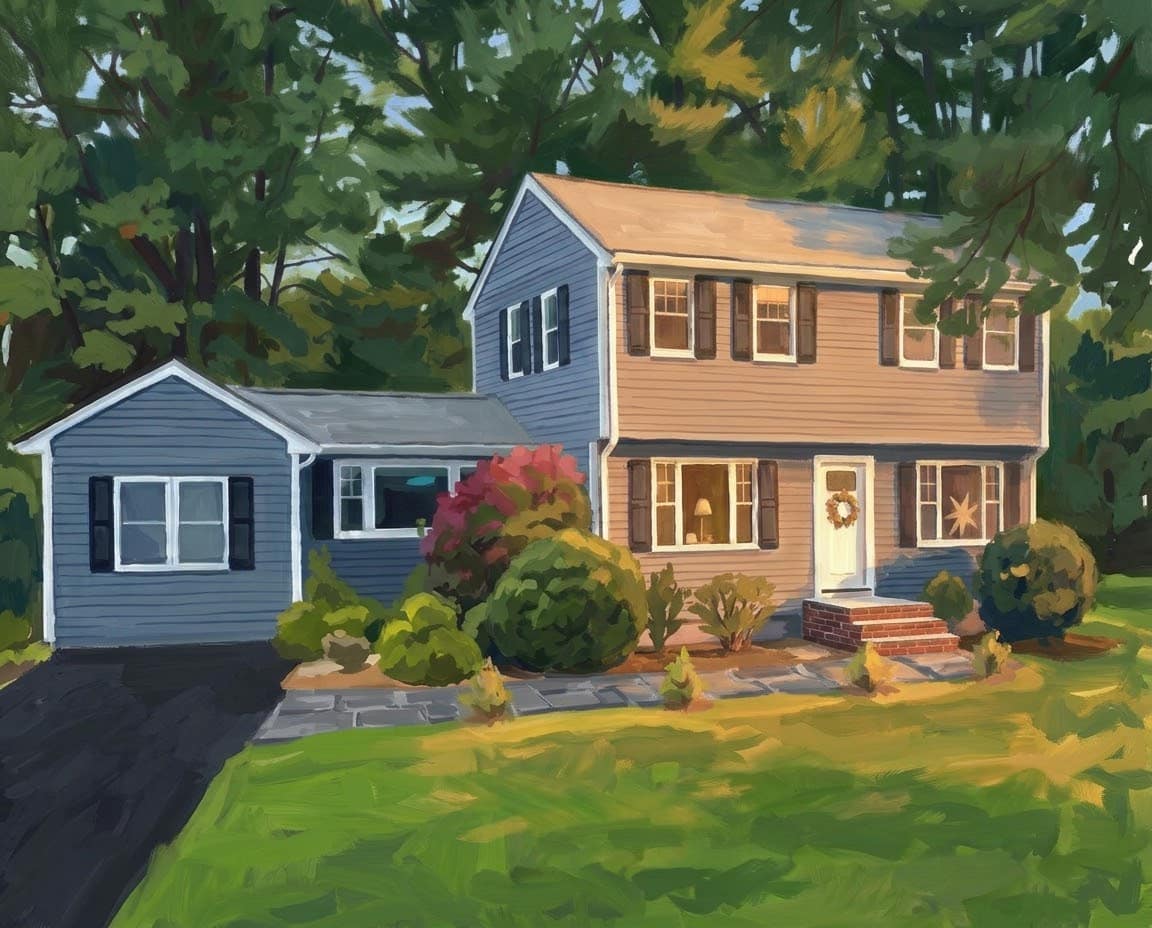
I tried again in a new chat with the colors spelled out (“the siding stays blue-gray, the shutters stay black”). The colors stayed right, but the light came out as spotty sunset glints while the house stayed in shadow.
What finally worked was going back to the tan version and saying it in my own words:
Can you keep the feeling of the sunlight, but don't change the color of the house?
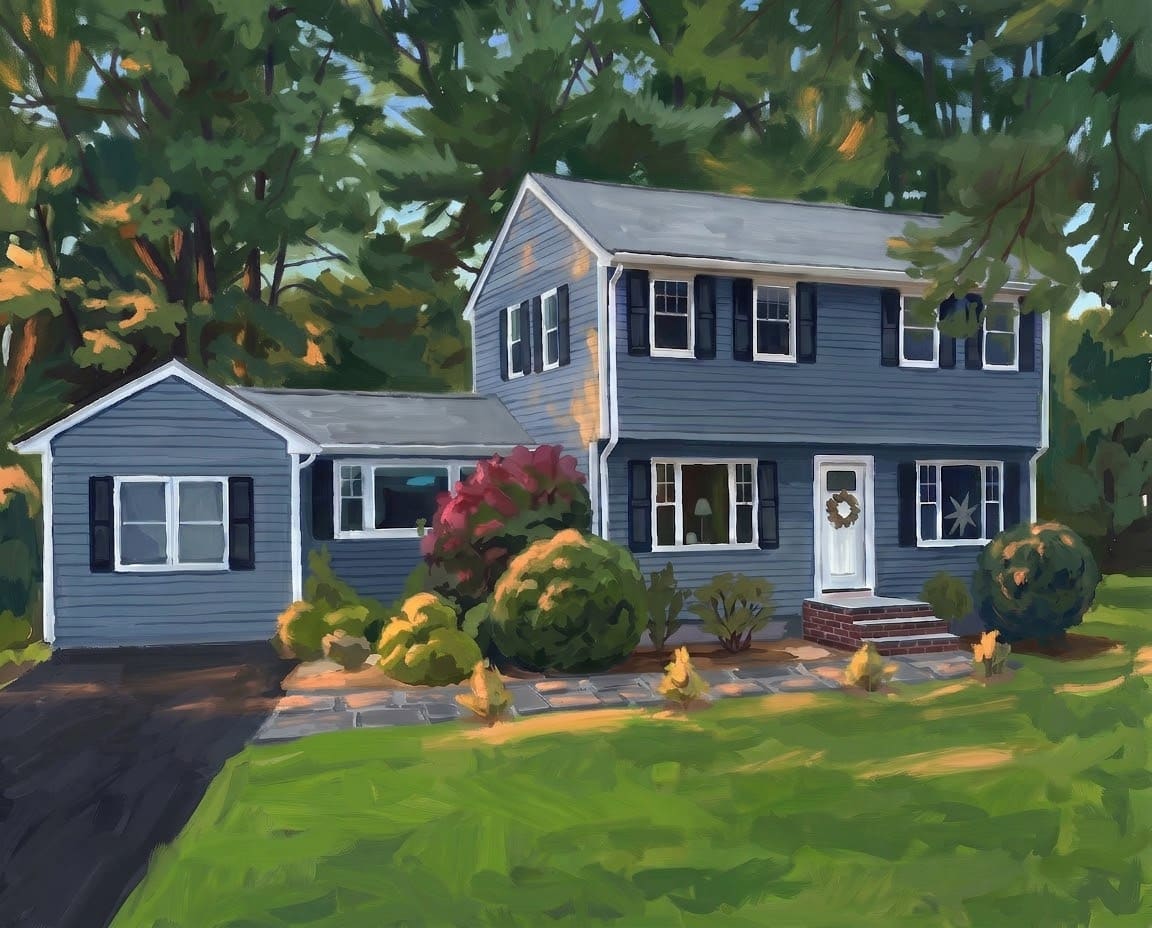
That was it. Blue house, black shutters, and a warm fall glow through the trees. Sometimes plain words work better than a long, carefully worded prompt.
Another option: if you just want it brighter, skip Gemini and bump up the brightness and shadows in Canva or your phone’s photo editor. It won’t change anything else.
Step 5: Add fall decor (and the mum saga)
For fall, I wanted mums and pumpkins on the front steps. Adding things is easy for Gemini. Getting them the right size took a while.
Round 1: add them.
Add a few pumpkins on the brick steps and pots of orange and burgundy mums on either side of the steps. Make the driveway black asphalt. Keep the house color, the sunlight and everything else exactly the same.
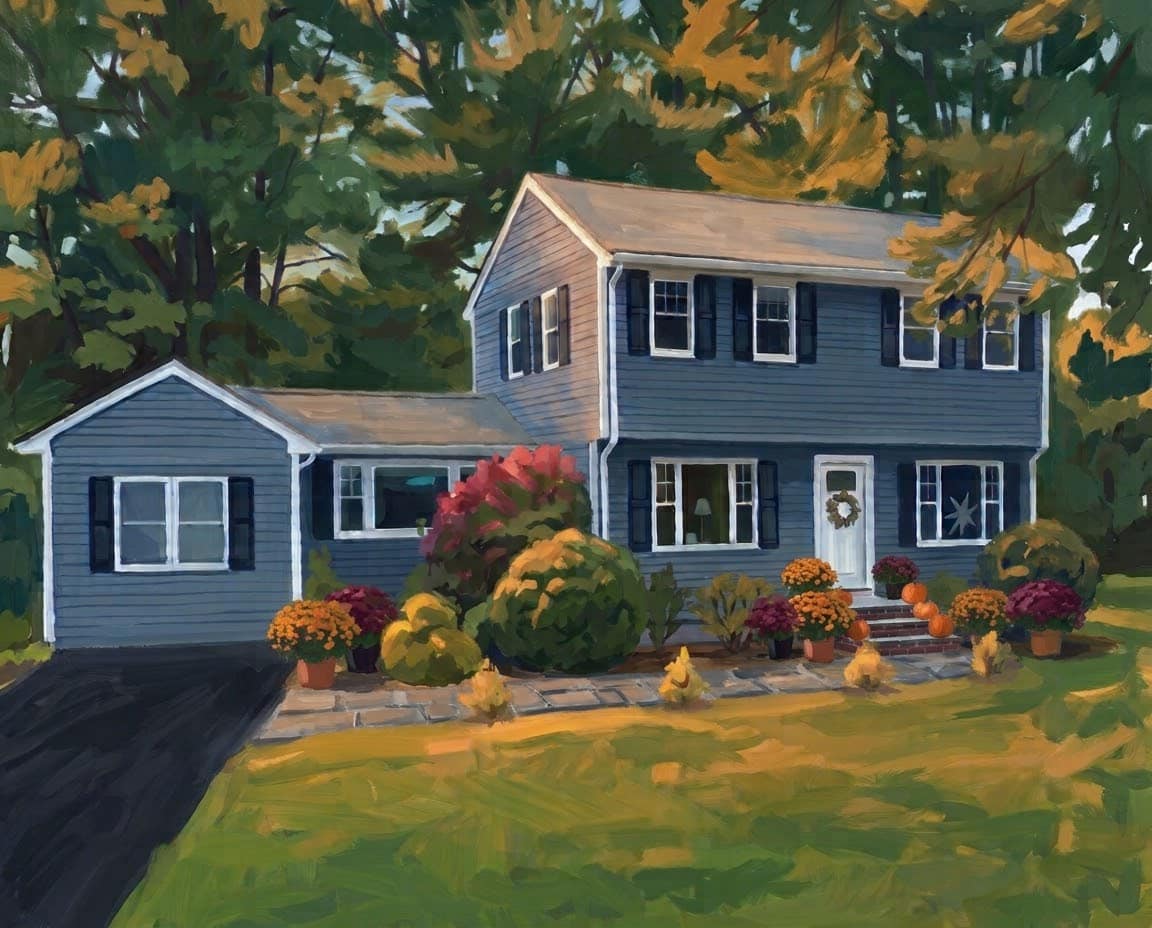
Perfect, except the mums were huge and crowded the door.
Round 2: “make them just a bit smaller.” No change at all.
Round 3: “make the mums about half the size.” Gemini moved them around and added more. Now I had about nine giant mums.
Round 4: compare them to something in the picture. “Make every mum pot small, about the same size as the pumpkins.” This worked. Gemini needs something to measure against.
Round 5: remove the extras. Nine small mums spread across the yard was too busy. I kept only the ones beside the steps so the front door is the focal point.
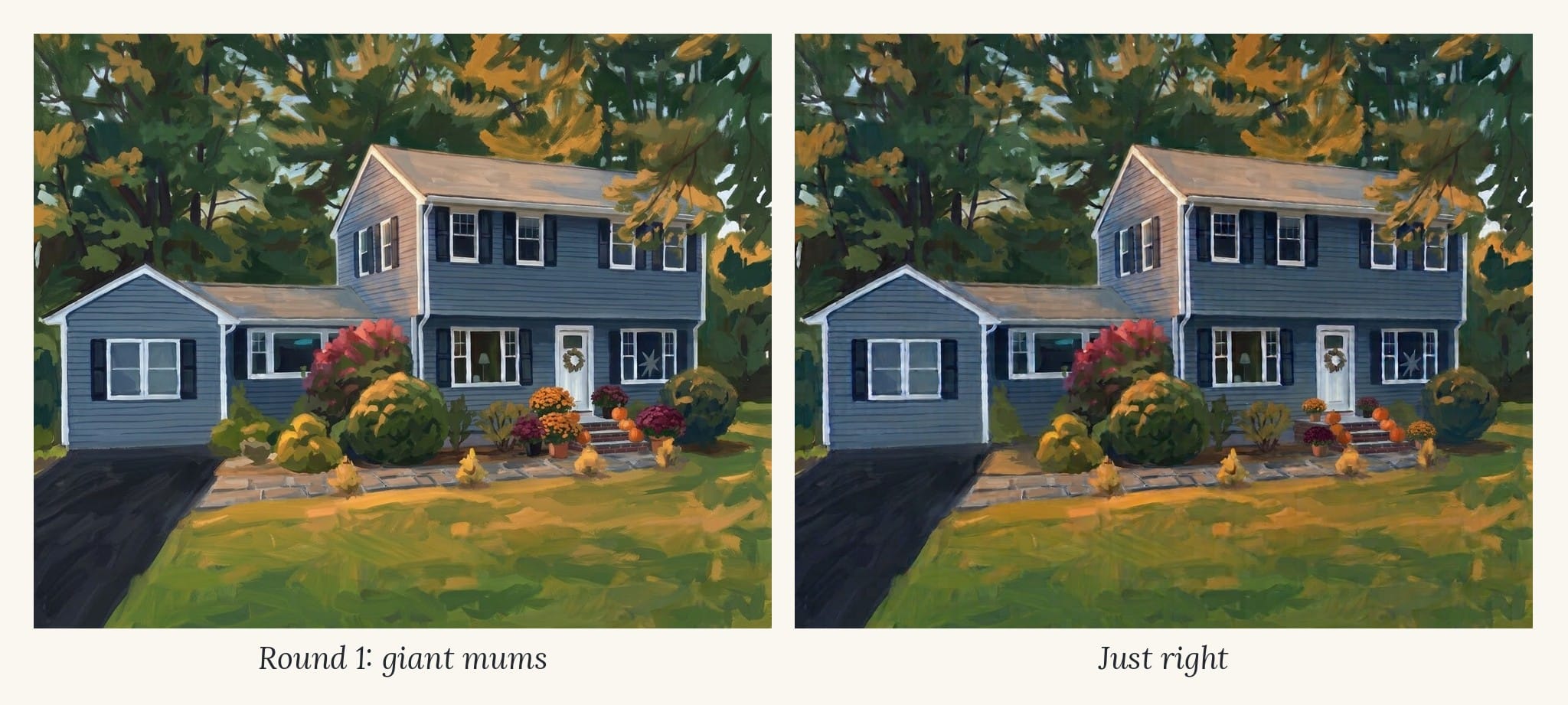
When the picture starts getting blurry
By now the whole house was looking soft and a little off. Each edit regenerates the entire image from the last one, so the blur adds up like a copy of a copy.
The fix: start a new chat, upload your sharpest earlier version, and put everything you want into one prompt:
Add fall decor to this painting: a few small pumpkins on the brick steps and two small pots of mums, one on each side of the front steps, each about the same size as the pumpkins. No other mums or decorations. The driveway is black asphalt. Keep the house color, the sunlight, the painting style and everything else exactly the same.
The new version came back crisp. One catch: I forgot the aspect ratio, and it came back a different shape. Always include your aspect ratio, even in a new chat.
Redo vs. remove and add back
I didn’t love how the pumpkins were piled on the top step. I asked Gemini to change them, and nothing happened. Then I tried the Redo button, which runs the same request again. That did nothing either.
What worked was removing them completely, then adding them back with an exact count and placement:
Remove the pumpkins.
Add three pumpkins, one on each step on the right side of the steps.
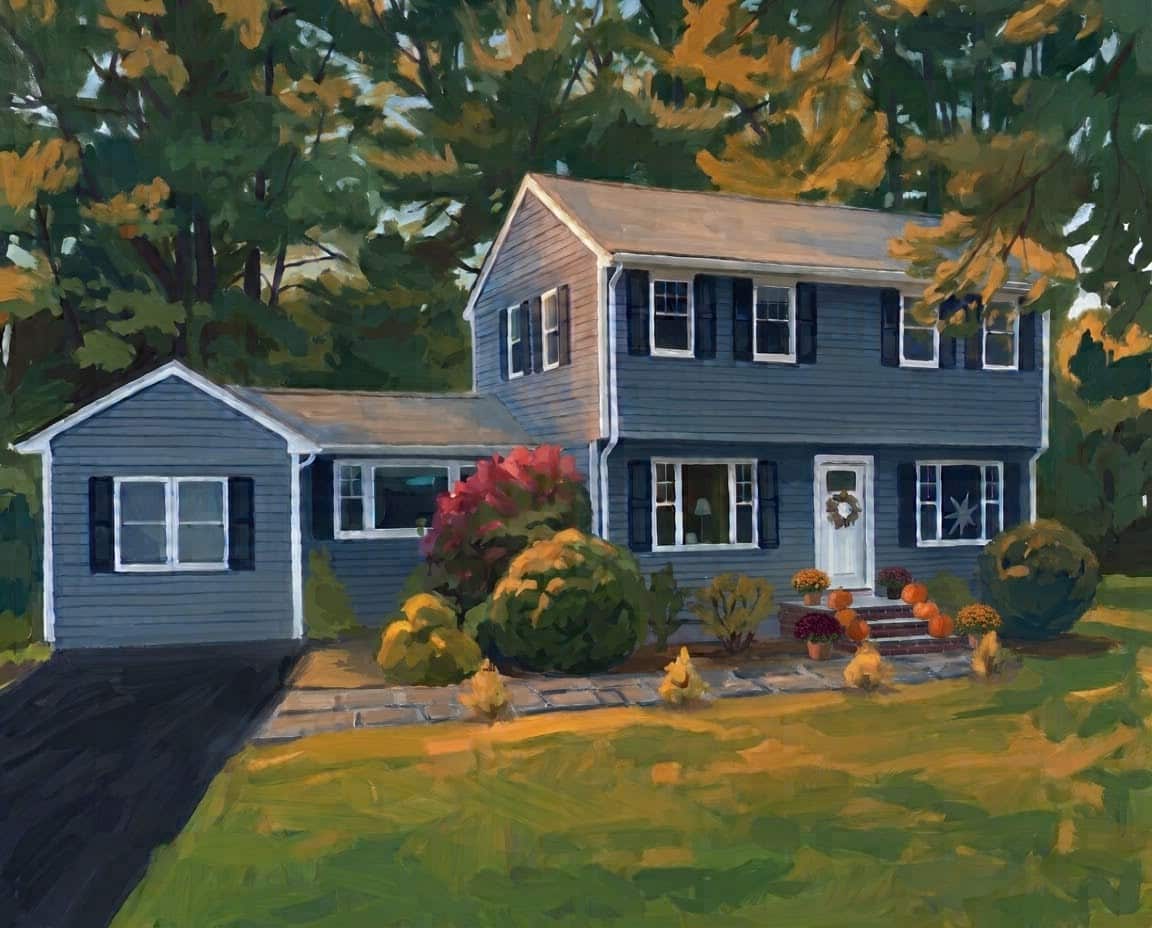
Perfect. When an edit won’t take, take it out and put it back with exact numbers.
Step 6: Make a winter version
Once the fall painting was done, winter was the fun part. In the same chat, while the image was still sharp:
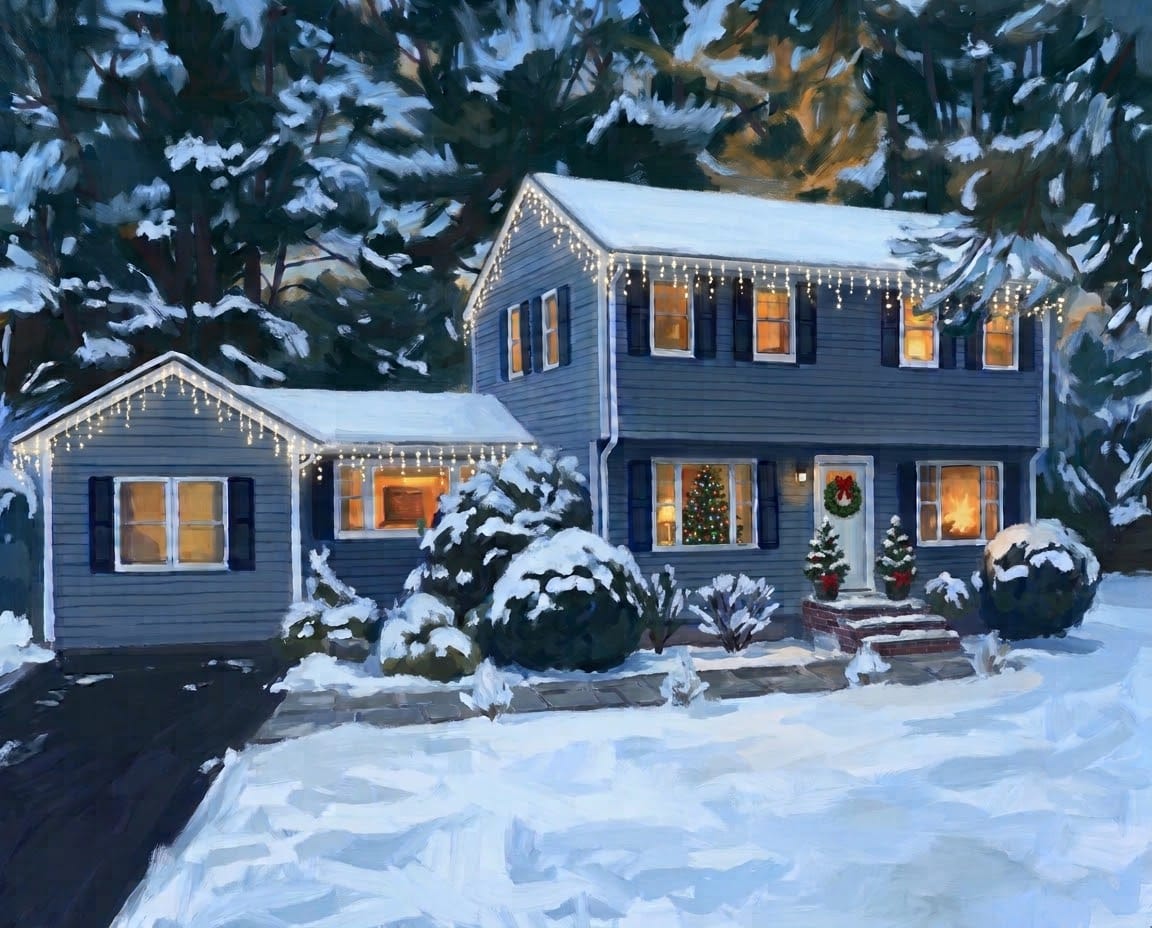
Now paint this same scene in winter: remove the pumpkins and mums and add two small evergreen planters with red bows, one on each side of the steps. Snow on the roof, lawn, shrubs and steps, black driveway cleared of snow, warm glowing light in all the windows, soft early-evening blue sky. The siding stays blue-gray, the shutters stay black, the trim stays white. Keep the house, layout and painting style exactly the same. 5:4 landscape aspect ratio
Telling Gemini to swap the pumpkins for evergreen planters matters. Otherwise you might end up with pumpkins sitting in the snow.
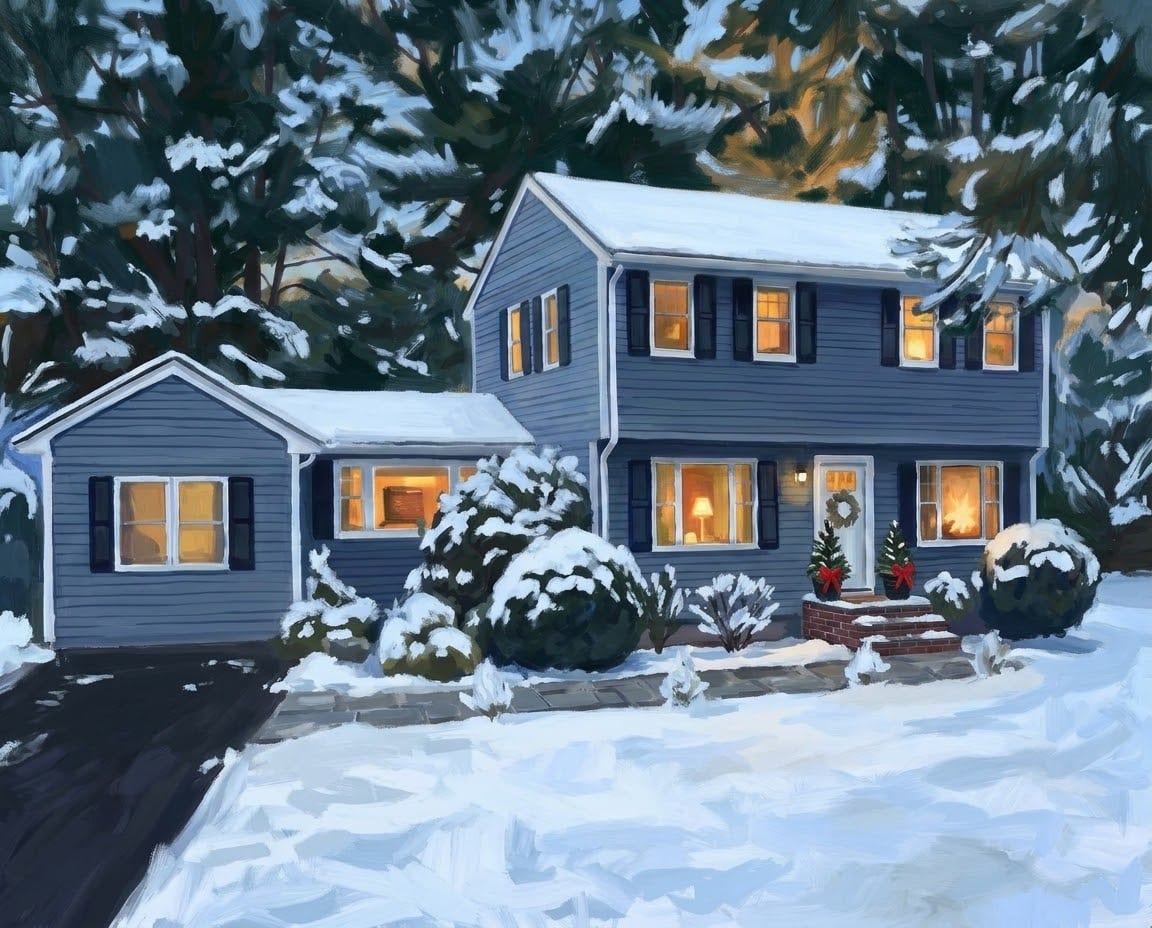
The first try was beautiful. Then I added the finishing touches, one prompt each:
- A lit Christmas tree in the front window with the lamp. Worked on the first try.
- Icicle lights along the roof lines of the house and the wing. Worked on the first try.
- Smaller planters. Honestly, they didn’t change. I decided I was fine with them.
Along the way, Gemini quietly dropped the wreath from my front door. So I asked for it back: “Add a green wreath with a red bow back on the front door.” Check the little details every round. Gemini doesn’t tell you when it removes something.
What I learned
- Any decent photo works. Gemini removed my car, a box and the wires on its own.
- Match the shape to your house. A wide house belongs in a horizontal painting.
- Colors are easy, layout is hard. Ask for layout changes one at a time, or start fresh with everything in one prompt.
- Lock your house color when you ask for light or a season change.
- Use real sizes and counts. “About the size of the pumpkins” and “three pumpkins, one on each step” work. “A bit smaller” doesn’t.
- Remove, then add back when an edit won’t take. Redo didn’t help me.
- Start a new chat when it gets blurry, and upload your sharpest version.
- Always include the aspect ratio, even in a new chat.
- Check the details every round. Gemini may quietly drop things, like my wreath.
When you’re done, upscale your painting so it prints sharp, then see how to print and frame it. If something else goes wrong, my Gemini troubleshooting guide covers the most common problems.
Get the free prints
Want seasonal art without starting from scratch? My free Seasons Collection has 12 gouache prints, three for every season, sized at 8×10 and ready to print. Sign up below and I’ll send them to your inbox, along with my free Everyday Printables Playbook, which has the copy-and-paste prompts I use.